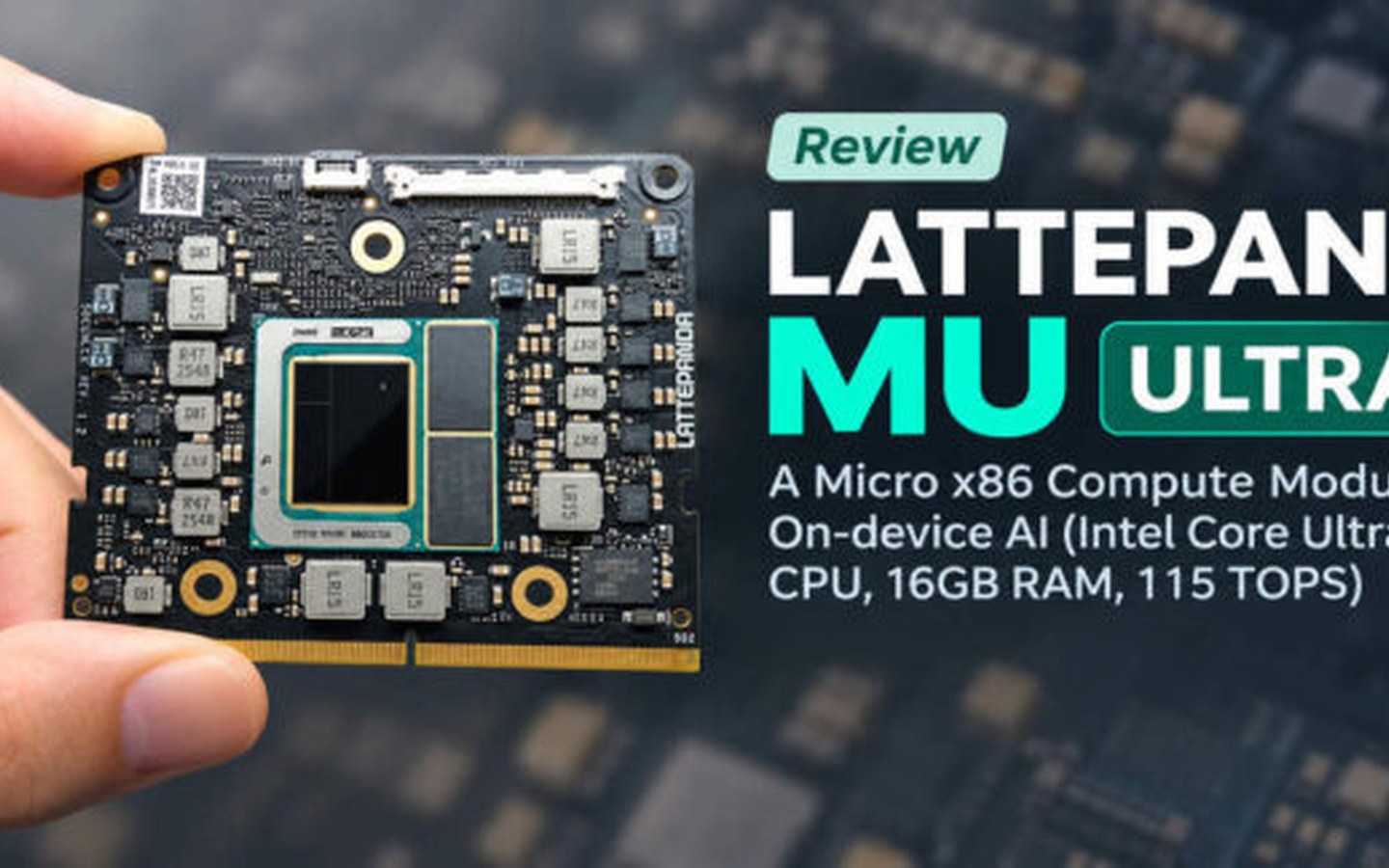
The LattePanda Mu Ultra with Intel Core Ultra 7.
Today, I’m going to review the LattePanda Mu Ultra , a compact x86 compute module designed for on-device AI applications. It comes in two versions, powered by either an Intel Core Ultra 5 226V or a Core Ultra 7 256V processor. Both models feature 16 GB of high-speed LPDDR5X memory running at 8533 MT/s, with the higher-end model delivering up to 115 TOPS of combined AI computing power.
In this review, I installed Ubuntu 26.04 and benchmarked the LattePanda Mu Ultra using various tools, including sbc-bench, Geekbench 7, and Geekbench AI. I also tested its CPU, GPU, and NPU performance with llama.cpp and YOLO26 to evaluate its capabilities for AI applications. Finally, I created a fun demo combining YOLO26, MediaPipe, and OpenCV to test real-time computer vision performance, including hand gesture-based image adjustments, using a USB webcam.
The package was shipped from China and arrived in just about five days. Everything came in a standard cardboard box, with plenty of foam padding to keep the components safe during shipping. I received the model based on the Intel Core Ultra 7 256V processor. The manufacturer also sent the Mini Carrier Board for LattePanda Mu & Mu Ultra and the Aluminum Active Cooler for LattePanda Mu Ultra. Everything was well packed and arrived in good condition, with no visible damage, as shown in the following image.
The received items in their original packaging. Received components: (left) Mini Carrier Board for LattePanda Mu & Mu Ultra, (center) LattePanda Mu Ultra module, and (right) Aluminum Active Cooler for LattePanda Mu Ultra.
The manufacturer provides detailed installation and setup instructions on the official product documentation page . I followed the instructions, and the setup went smoothly without any major issues. I started by attaching the heatsink to the LattePanda Mu Ultra module and then mounting the module onto the carrier board. Next, I installed an M.2 NVMe SSD for the operating system and storage. Since the package did not include an SSD, I reused a WD Blue SN5000 500 GB M.2 NVMe SSD from one of my previous hardware reviews .
Prepare the Aluminum Active Cooler. Attach the Aluminum Active Cooler to the LattePanda Mu Ultra. Mount the LattePanda Mu Ultra module onto the carrier board.
Installing the operating system (Ubuntu 26.04)