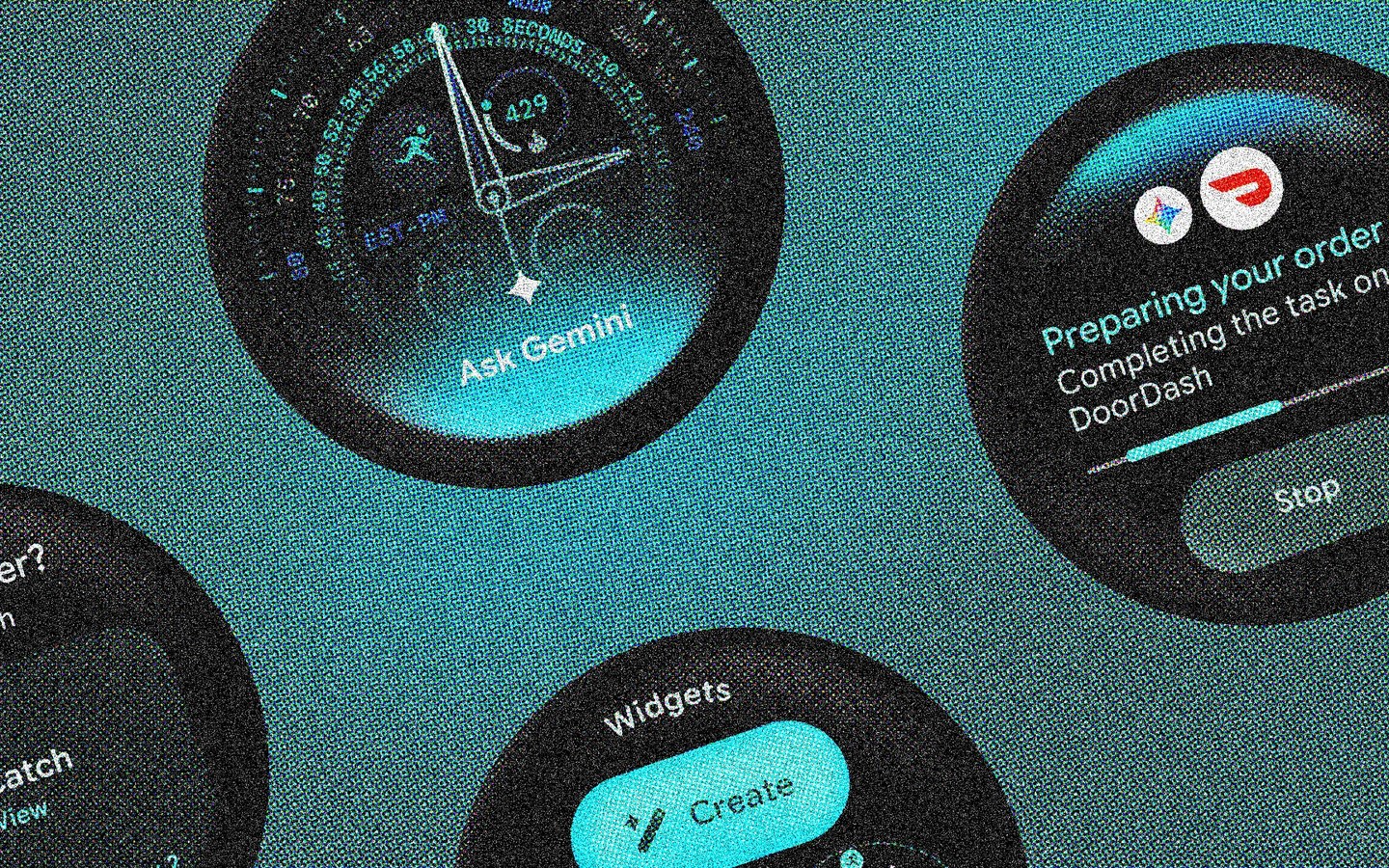
Google hasn’t just polished the edges with Wear OS 7—it’s rethinking what a smartwatch should do. Announced at I/O 2026, this update aims to transform wristwear from passive notification mirrors into context-aware, AI-driven assistants. The rollout won’t happen overnight, but the upgrades are substantial enough to reset expectations for portable AI on wearables. Here’s what you need to know.
When will your watch get it?
Google says Wear OS 7 will begin rolling out later in 2026, likely debuting on the Pixel Watch 5 and Samsung Galaxy Watch 9 series, which should launch in summer or autumn. As Wareable notes, the pattern of pairing major OS upgrades with new flagship hardware continues for the fourth year running. If you own an older or third-party device—say, a OnePlus Watch or Xiaomi smartwatch—patience is required. Wear OS 6 is still reaching those models, so the jump to version 7 might not land until 2027. We’ll update with specific roadmaps once manufacturers publish them.
The headline changes that matter
Wear OS 7 isn’t just an AI coat of paint. It introduces seven concrete improvements that blend utility with intelligence.
1. Real widgets, finally
Tiles get a serious upgrade with a new widget system that mirrors Android’s phone layouts. You can pin 2×1 and 2×2 card formats to your watch face, pulling glanceable data from your favorite apps. Better still, custom widgets made with mobile AI tools can be ported directly to your wrist, giving you the same at-a-glance control you’d have on a phone.
2. Live Updates keep you in the loop
Borrowed from Android’s lock screen, Live Updates bring persistent, real-time tracking to your watch. Whether it’s a food delivery, rideshare ETA, or sports score, the info stays visible without opening an app—akin to Apple’s Live Activities on watchOS. It’s a natural fit for a screen that’s meant to be glanced at.
3. Gemini smarts go agentic
Google embeds its latest Gemini model directly into Wear OS 7, enabling multi-step task automation via voice. You can reorder a favorite takeout, compile a shopping list by cross-referencing emails, or trigger complex phone actions without touching your handset. This is the most direct leap from notifier to proactive assistant—and the most demanding on device smarts.
4. Workout Track standardizes fitness data
Fragmentation across fitness apps has long been a sore spot. A new unified Workout Track framework lets third-party apps adopt consistent UI, media controls, and heart-rate tracking. It’s a subtle change that should make switching between workout apps feel seamless rather than jarring.
5. Battery life gets a lift
All that AI processing raises power concerns, but Google claims up to a 10% improvement in battery life over Wear OS 6. Under-the-hood optimizations keep the extra intelligence from draining your day, which is crucial for devices that often struggle to last 24 hours.
6. Per-app media controls
At last, you can decide which apps launch the media controller automatically. Tell your watch to pop up controls for Spotify but stay quiet when you’re scrolling social media. It’s a small tweak that eliminates a long-standing annoyance and puts you in charge of your wrist’s real estate.
7. System Media Controls simplify audio routing
Streaming audio from your phone? Now you can switch output destinations—Bluetooth earbuds, watch speaker, smart speaker—straight from your watch. No more fumbling for the phone when you move from headphones to a room speaker.